
Prediction Market API 2026
Kalshi, Polymarket & Broker Access Guide
Trending betting solutions optimized for bots via API and Web Socket.
Last updated: Jun 8, 2026
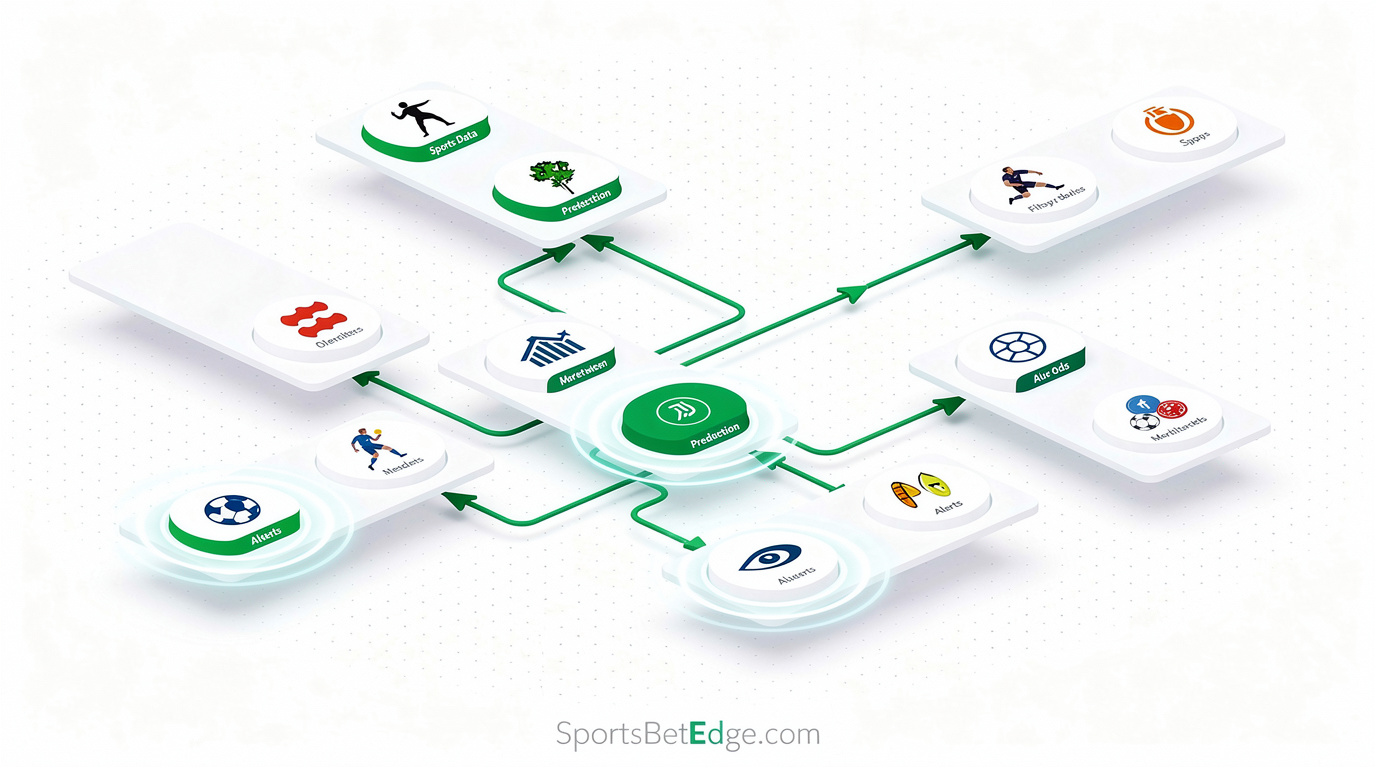
Prediction market APIs explained: event contracts, CLOB, and automation advantages
Prediction markets trade binary event contracts: a YES contract pays $1.00 if the event occurs, a NO contract pays $1.00 if it does not. The current market price of YES reflects the crowd's probability estimate. Unlike traditional sportsbooks — which set prices and profit from your losses — prediction markets are peer-to-peer exchanges where the platform earns commission on matched volume, not on your outcomes.
This structure makes prediction markets unusually friendly for automated trading:
- No account limiting: exchanges cannot profit from restricting winners
- Full API access: REST and WebSocket APIs are publicly documented
- Cross-venue arbitrage: Kalshi and Polymarket often price the same event differently, creating guaranteed-profit opportunities
- CFTC regulation (Kalshi): legally accessible in all 50 US states as a financial instrument, not gambling
Kalshi API: CFTC-regulated REST and WebSocket access
Kalshi (kalshi.com) is a CFTC-regulated Designated Contract Market — the first federally regulated prediction market in the US, accessible in all 50 states. With hundreds of active markets and over $300M in NFL season volume, it is the largest regulated prediction market in North America.
Kalshi authentication and setup
- Create a Kalshi account at kalshi.com (US residents only; no geographic restriction by state)
- Call
POST /trade-api/v2/loginwith your email and password to receive a JWT token - Include the token as a Bearer header:
Authorization: Bearer <token> - Tokens are valid for 24 hours — implement refresh before expiry
- Install the official library:
pip install kalshi-python
Key Kalshi API endpoints
| Endpoint | Method | Purpose |
|---|---|---|
| /trade-api/v2/markets | GET | List active markets with prices |
| /trade-api/v2/markets/{ticker}/orderbook | GET | Full orderbook for a market |
| /trade-api/v2/portfolio/orders | POST | Place an order (buy YES or NO) |
| /trade-api/v2/portfolio/positions | GET | Current open positions |
| /trade-api/v2/portfolio/balance | GET | Account balance |
| wss://trading-api.kalshi.com/trade-api/ws/v2 | WS | Real-time orderbook deltas |
Polymarket API: CLOB-based binary markets on Polygon
Polymarket (polymarket.com) is the world's largest prediction market by volume, operating on the Polygon blockchain. Markets are structured as ERC-1155 token pairs (YES and NO), traded via a Central Limit Order Book managed by a CLOB API layer — meaning order placement and cancellation happen off-chain, with final settlement on-chain at market resolution.
Polymarket authentication via private key
Authentication requires a private key from a Web3 wallet (MetaMask or a raw ECDSA key pair). The py-clob-client library handles this signing process:
pip install py-clob-clientCLOB API and py-clob-client
| Endpoint / Resource | Description |
|---|---|
| GET /markets | All active markets with token IDs and current prices |
| GET /book?token_id=... | Orderbook for a specific YES/NO token |
| POST /order | Place a limit or market order |
| GET /positions | Open positions for the authenticated wallet |
| wss://ws-subscriptions-clob.polymarket.com/ws/market | Real-time orderbook stream |
Brokerage solutions for prediction market API access
Direct API access to Kalshi requires a US account; direct Polymarket access requires wallet management and restricts US users. For bettors outside these constraints — or those who want prediction market execution as part of a unified multi-venue broker strategy — brokerage solutions provide an alternative route.
MadMarket — Kalshi access via broker
MadMarket provides access to Kalshi markets through their broker API, allowing non-US bettors and bettors who prefer a single-broker workflow to execute in Kalshi without a direct account. Through MadMarket, the same API that reaches Pinnacle and Asian books can also reach Kalshi prediction markets — useful for strategies that span both sports betting and prediction markets.
- Best for: Non-US bettors wanting Kalshi liquidity; consolidated multi-venue pipelines
- Access: MadMarket account with API access enabled
- Note: Verify current Kalshi offering directly with MadMarket — broker venue coverage updates over time
SportMarket — Polymarket access via broker
SportMarket provides access to Polymarket through their Pro broker API. This allows Polymarket execution without direct wallet management or the US restriction that applies to direct Polymarket accounts. For professional bettors running cross-venue strategies across Pinnacle, Betfair, and prediction markets, having all three accessible through SportMarket's single API is a significant operational simplification.
- Best for: Bettors in Polymarket-restricted regions; multi-venue strategies combining sharp books and prediction markets
- Access: SportMarket Pro account
- Note: Verify current Polymarket offering directly with SportMarket before committing capital
Direct API vs broker: when each makes sense
| Situation | Direct API | Broker route |
|---|---|---|
| US-based Kalshi user | ✓ Direct — lowest latency, full control | Adds broker overhead |
| Non-US Kalshi access | Not available | ✓ MadMarket |
| Polymarket (crypto-comfortable) | ✓ Direct CLOB API | Works, adds overhead |
| Polymarket (no crypto wallet) | Not practical | ✓ SportMarket Pro |
| Multi-venue (Kalshi + Pinnacle) | Requires two separate integrations | ✓ MadMarket — one API |
| Cross-venue arb automation | ✓ Best — lowest latency for both legs | Acceptable if latency allows |
Wiring a prediction market API pipeline: step-by-step
-
Authenticate with both exchanges
Kalshi: call POST /trade-api/v2/login with email and password to receive a JWT token. Refresh it before expiry (tokens are valid for 24 hours). Polymarket: generate an API key from the CLOB API using your wallet's private key — this is a one-time setup that signs your key to your wallet address. Store both credentials in environment variables.
-
Fetch active markets from both platforms
Kalshi: call GET /trade-api/v2/markets with filters (status=open, category, close_time range). Each market has a ticker (e.g. "NFL-2026-SUPERBOWL"). Polymarket: call GET https://clob.polymarket.com/markets. Each market has a condition_id and two token_ids (YES and NO). Map equivalent events across both platforms using event names and expiry dates.
-
Subscribe to real-time orderbooks via WebSocket
Kalshi WebSocket: wss://trading-api.kalshi.com/trade-api/ws/v2 — subscribe with a subscriptions message specifying orderbook_delta and ticker. Polymarket WebSocket: wss://ws-subscriptions-clob.polymarket.com/ws/market — subscribe with the market condition_id. Maintain local orderbook copies updated by each delta message to avoid REST polling for price queries.
-
Detect cross-venue price discrepancies
For equivalent YES/NO binary markets on both exchanges: compare the best YES ask on Kalshi against the best NO bid on Polymarket (and vice versa). If the combined cost of both contracts is less than $1.00, an arbitrage exists. Account for taker fees on both sides (Kalshi: up to 7% of profit; Polymarket: 0% maker, 0% taker for most markets). The net ROI must exceed your combined fee cost.
-
Execute both legs and monitor settlement
Place the Kalshi leg first (typically more liquid, faster fill), then the Polymarket leg immediately. Monitor fill status via REST or WebSocket. Both markets settle to $1.00 (YES wins) or $0.00 (NO wins) at event resolution. Kalshi settles within minutes of official results; Polymarket settlement timing varies by market. Track both open positions against your total risk exposure.
Python code sample: Kalshi market scan and order placement
import os, requests, json

KALSHI_EMAIL    = os.environ["KALSHI_EMAIL"]
KALSHI_PASSWORD = os.environ["KALSHI_PASSWORD"]
BASE = "https://trading-api.kalshi.com/trade-api/v2"

def login():
    r = requests.post(f"{BASE}/login",
                      json={"email": KALSHI_EMAIL, "password": KALSHI_PASSWORD},
                      timeout=10)
    r.raise_for_status()
    return r.json()["token"]

def get_markets(token, limit=100, status="open"):
    headers = {"Authorization": f"Bearer {token}"}
    r = requests.get(f"{BASE}/markets",
                     headers=headers,
                     params={"limit": limit, "status": status},
                     timeout=10)
    r.raise_for_status()
    return r.json()["markets"]

def get_orderbook(token, ticker):
    headers = {"Authorization": f"Bearer {token}"}
    r = requests.get(f"{BASE}/markets/{ticker}/orderbook",
                     headers=headers, timeout=10)
    r.raise_for_status()
    return r.json()

def place_order(token, ticker, side, count, price):
    # side: "yes" or "no"; price: integer 1-99 (cents per contract)
    headers = {"Authorization": f"Bearer {token}", "Content-Type": "application/json"}
    payload = {
        "action":   "buy",
        "count":    count,
        "side":     side,
        "ticker":   ticker,
        "type":     "limit",
        "buy_max_cost": count * price,  # max spend in cents
    }
    r = requests.post(f"{BASE}/portfolio/orders",
                      headers=headers, json=payload, timeout=10)
    r.raise_for_status()
    return r.json()

if __name__ == "__main__":
    token   = login()
    markets = get_markets(token)
    print(f"Active markets: {len(markets)}")
    for m in markets[:5]:
        ticker    = m["ticker"]
        yes_price = m.get("yes_ask", "N/A")
        no_price  = m.get("no_ask", "N/A")
        print(f"  {ticker}: YES={yes_price}c  NO={no_price}c  | {m['title'][:60]}")
    # Example: check for cross-venue arb (would compare against Polymarket price here)
    # If Kalshi YES ask + Polymarket NO ask < 100c → arb exists
Frequently asked questions
What is a prediction market and how is it different from a sportsbook?
A prediction market trades event contracts priced between $0 and $1 (or 0 and 100 cents). A YES contract pays $1 if the event occurs; a NO contract pays $1 if it does not. The current price represents the market's probability estimate. Unlike sportsbooks, prediction markets are peer-to-peer (buyers matched against sellers), winners are not limited or banned, and the platforms are regulated as financial exchanges (Kalshi is CFTC-regulated) rather than gambling operators.
Is Kalshi available in all US states?
Yes. Kalshi is a CFTC-regulated Designated Contract Market (DCM), which means it operates under federal commodity law and is legal in all 50 US states and Washington D.C. No state-by-state licensing is required. This makes Kalshi uniquely accessible compared to sports betting platforms, which are restricted in many US states.
Is Polymarket legal for US users?
Polymarket officially restricts US users from accessing its platform. As a decentralised prediction market built on the Polygon blockchain, enforcement relies on self-certification at account creation. Some US users access it via VPN and crypto wallet — but this carries compliance risk. For US users seeking Polymarket-equivalent access with regulatory clarity, the broker route via SportMarket (which provides Polymarket liquidity without direct user registration) may be a safer option.
What fees does Kalshi charge for API trading?
Kalshi charges a fee on net profits from winning positions — up to 7% of profit depending on the market. There is no per-order fee. Makers (orders that rest on the book) and takers (orders that fill immediately) are treated similarly. The fee is deducted from winnings at settlement, not at order placement. Factor this into your edge calculation: a position with 3% implied edge may be marginal after fees.
What is the Polymarket CLOB and how does it work?
Polymarket uses a Central Limit Order Book (CLOB) system where YES and NO shares are traded as fungible ERC-1155 tokens on the Polygon blockchain. The CLOB API at clob.polymarket.com provides REST endpoints for market data, order placement, and position management without requiring on-chain transactions for every order — the CLOB operator batches and settles on-chain periodically. The py-clob-client Python library wraps the CLOB API with authentication handling.
Can I automate betting on both Kalshi and Polymarket simultaneously?
Yes. Kalshi and Polymarket often list equivalent markets (same event, same binary outcome). Price discrepancies between the two exchanges create arbitrage opportunities — you can bet YES on one and NO on the other, locking in profit if the combined cost is below $1.00. Tools like Claw Arbs and OpenClaw are specifically designed for this cross-venue prediction market execution.
What does MadMarket offer for Kalshi access?
MadMarket provides broker-mediated access to Kalshi markets through their API. This allows bettors who lack a direct Kalshi account (or who want to consolidate Kalshi and sportsbook execution through one broker relationship) to access Kalshi liquidity. Verify current MadMarket Kalshi offering directly at their website, as broker venue coverage can change.
What does SportMarket offer for Polymarket access?
SportMarket provides access to Polymarket through their broker API, allowing execution in Polymarket markets without direct wallet-based authentication. This is particularly useful for professional bettors who want Polymarket liquidity as part of a multi-venue execution strategy alongside Pinnacle and Betfair, without managing a separate crypto wallet workflow.